
How to Optimise a Google Business Profile
Are you researching ways to learn how to optimise a Google Business Profile? There’s good reason with Google now processing a whopping 8.5 billion searches daily, and “near me” searches for local businesses have jumped 250%.
The numbers tell an interesting story. A typical Google Business Profile gets only 1,260 views monthly – barely 0.00000075% of all Google searches! Your local business could be missing out on countless opportunities.
Google My Business optimisation has become crucial for local businesses that want to attract more customers in today’s digital world. Business profiles with photos get 42% more direction requests and 35% more website clicks compared to those without.
Most businesses don’t realise this platform’s full potential. A well-optimised Google Business Profile signals Google’s algorithm to rank you higher in local search results. You’ll find proven strategies to boost visibility, attract customers, and grow your local business in this piece – whether you’re new or improving an existing profile.
We’ll guide you through profile setup, verification, and performance tracking with insights. This complete roadmap will help you succeed with Google Business Profile optimisation.
How to Optimise a Google Business Profile: Setting Up and Verifying your account

Learning how to optimise a Google Business Profile is your first step toward local search success. Your verified profile becomes the foundation of all Google My Business optimisation work. This digital storefront needs little time to set up but gives you maximum visibility when potential customers look for your products or services.

Small differences in formatting (like “Road” vs. “Rd”) won’t hurt much, but keeping everything exactly the same makes your local SEO stronger. Google can handle slight variations, but you should aim for perfect consistency whenever possible both with Google Business Profile physical optimisation and consistency with NAP when focusing on manual local citation building.
How to Optimise a Google Business Profile: Optimising Core Google Business Profile Information
Your Google Business Profile needs proper optimisation of core business information once it’s up and running. This is crucial for local SEO success. Accurate and complete business details will boost your visibility, build customer trust, and drive more conversions.
Add accurate business hours and special hours
The right business hours play a big role in keeping customers happy and coming back. Wrong hours can frustrate visitors and hurt your reputation. Google lets you show your schedule in several ways:
Set regular hours for normal weekly operations
Create special hours for holidays and events
Add “More Hours” for specific services like delivery or pickup
Indicate seasonal hours during temporary closures
Businesses with breaks during the day can create multiple entries for the same day. A shop that opens from 9am-2pm, closes for preparation, then reopens from 5pm-10pm can display both periods clearly.
The “Special Hours” feature works best during holiday seasons instead of changing your regular schedule repeatedly. This shows professionalism and helps your brand image shine.
Write a keyword-rich business description
Think of your business description as a digital elevator pitch with a 750-character limit. The first 250-300 characters are crucial since they appear before the “Read More” button.
Your description should:
Start with your business type and location
List primary products or services
Highlight what makes your business unique
Include relevant keywords naturally
End with a call-to-action like “Visit us today!”
Stay away from promotional language, links, special offers, or pricing information. These break Google’s guidelines and could get your profile flagged.
Choose the right primary and secondary categories
Categories rank among the most important factors for local search. Your primary category shows up in search results and should match your main business function exactly.
Specific categories work better than general ones – “Nail Salon” beats just “Salon”. You can add up to nine secondary categories to showcase other services. Don’t feel pressured to use all nine if they don’t fit your business perfectly.
Businesses with independent departments (like a grocery store with a pharmacy) should create separate Business Profiles instead of listing them as extra categories.
Add relevant business attributes
Business attributes showcase special features that make your business stand out. They help customers find you when looking for specific amenities. These tags can show accessibility options (wheelchair access, hearing assistance), payment methods, services (Wi-Fi, outdoor seating), and business identities (woman-owned, veteran-owned).
The right attributes can boost your visibility in specific searches. A restaurant that lists “outdoor seating” might show up when someone looks for “restaurants with outdoor seating near me”.
Check your attributes twice a year. Google adds new options based on changing customer needs and search patterns.
How to Optimise your Google Business Profile with Visual and Interactive Content
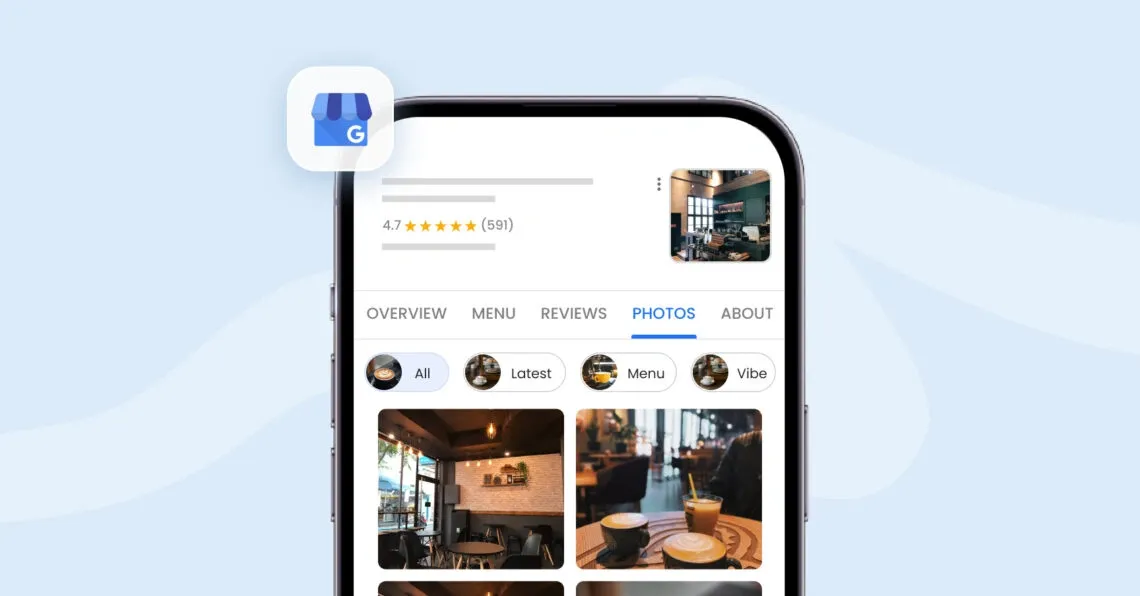
Visual elements work as powerful tools that turn profile visitors into customers. Simple information isn’t enough – high-quality visuals and interactive content boost customer engagement substantially.
Upload high-quality photos and videos
Your Google Business Profile gets an immediate effect from visual content. Businesses with photos get 42% more requests for directions and 35% more website clicks than those without. Google has specific requirements that ensure optimal visual presentation: photos should be JPG or PNG format between 10KB and 5MB, with recommended resolution of 720×720 pixels.
Your profile should include these image types:
Logo (ideal size: 250×250 pixels) – shows up when you respond to reviews
Cover photo (ideal size: 1080×608 pixels) – represents your business at your profile’s top
Business photos – show off your products, services, team members, and facilities
Videos need to stay under 30 seconds with file sizes up to 75MB and resolution of 720p or higher. Your visual content must show reality accurately without too many filters or edits.
Add products and services with descriptions
Your Google Business Profile lets customers find what you sell before they visit your website. Retail businesses in eligible regions can display their in-store products, which helps customers find available items through local search results.
Make sure to include accurate product names, detailed descriptions, and pricing information where applicable. This strategy attracts buyers who know what they want. Real product images work better than stock photos or AI-generated images.
Use Google Posts to share updates and offers
Google Posts work like mini-updates on your business listing and keep your profile fresh. These posts appear in the “Updates” tab on mobile and the “From the owner” section on desktop searches.
Google allows several post types:
Updates: Share general business information with photos, videos, and action buttons
- Offers: Promote sales or deals with titles, dates, coupon codes, and terms
- Events: Announce happenings at your business with start/end dates and times
Posts stay visible for seven days by default, so you should post weekly to maintain freshness. Regular posting adds fresh keywords that help your business rank for specific search terms. Having your content development team create various content types – videos, photos, and text – will show which formats strike a chord with your audience best.
How to Optimise a Google Business Profile: Engage With Reviews and Q&A

Customer engagement is a vital part of Google Business Profile optimisation. Your active interaction with customers through reviews and questions builds trust and brings more foot traffic to your business.
Encourage and respond to customer reviews

Reviews are significant in shaping your business’s online reputation and affect your local SEO rankings directly. Google has confirmed that managing and responding to reviews affects local search visibility. About 89% of consumers choose businesses that respond to all reviews.
To get the most from reviews:
Ask for reviews after positive interactions without incentivising them
Reply quickly-53% of customers expect responses within a week
Make responses personal by mentioning specific details from the review
Handle negative feedback professionally and take discussions offline
Your response approach makes a difference. About 45% of consumers say they would visit businesses that thoughtfully respond to negative reviews, even after bad experiences. Note that 97% of people who read reviews will also read your responses.
Monitor and answer questions in the Q&A section
The Q&A feature lets anyone ask questions about your business publicly on your profile. Research shows this section helps consumers decide between businesses.
Being proactive with Q&A management brings several benefits:
Shows you care about customer questions
Lets you provide accurate information before wrong answers appear
Showcases your business’s strengths through well-crafted responses
You might want to ask and answer your own frequently asked questions to create an informal FAQ section on your profile.
Enable messaging for direct communication
The messaging feature gives customers a convenient way to reach you. Since 90% of global consumers prefer messaging over phone calls, this option matches modern communication priorities.
To activate messaging:
Access your Business Profile
Click “Edit profile → Contact”
Select either WhatsApp or text messaging options
You must respond within 24 hours to all messages after enabling this feature. Google might automatically disable it otherwise. Quick replies improve your reputation since customers can see your average response time.
Track Performance Post-Launching your Optimised Google Business Profile

Your Google Business Profile’s performance metrics show if your optimisation efforts yield results. We can build on this progress with an evidence-based approach to boost local search visibility.
Use Google Business Profile Insights
Google Business Profile Performance metrics are a great way to get data about how customers find and interact with your listing. Your dashboard gives you access to track profile popularity over time. The platform shows detailed metrics such as views, searches, customer actions, and engagement statistics. We primarily focused on Google Business Profile interactions, which sets this data apart from Search Console or Google Analytics.
Analyse customer actions and search queries
Performance data shows how customers behave after finding your profile. You can track website clicks, direction requests, phone calls, messages, and bookings. The “searches” section reveals the exact terms customers use to find your business. This data confirms if your keyword strategy works. Look at these terms often – unrelated searches might mean you’re sending wrong signals to Google.
Adjust your strategy based on data trends
The insights help you spot seasonal patterns or promotional impact. You can use these lessons to boost your profile. Customer direction requests from specific areas might suggest opportunities for local promotions. The most frequent customer actions point to profile elements that need work. Note that phone call metrics only count calls made through the call button.
Get Google Business Profile (GBP) Optimisation Done For You
Your profile works like a digital storefront that shapes customer impressions before they visit you. Every detail counts – from correct business hours to quality photos and thoughtful review responses. These optimisation steps help Google’s algorithm and build customer trust.
The numbers show that better profiles get more directions, clicks, and customer engagement. Your dashboard gives you an explanation of progress and lets you adjust your strategy based on customer behavior. You can learn more about improving your local search presence by clicking here to schedule a call.
These strategies can boost your local visibility in just weeks. Create an authentic, detailed profile that shows what your business truly offers and what customers need. Time spent on your Google Business Profile will without doubt bring more customers and revenue to your local business.
FAQs Google Business Profile Optimisation for Local Success
How can I improve my business’s local ranking on Google?
To boost your local ranking, ensure your Google Business Profile is verified and complete. Keep your business hours updated, respond promptly to customer reviews, add high-quality photos and videos, and list your products or services. Focus on relevance, distance, and prominence as these are key factors in local search rankings.
What are the essential steps to fully optimise my Google Business Profile?
To fully optimise your profile, fill out every section in detail, write a compelling business description, choose the correct business category, list all your products and services, highlight important attributes, and include high-quality, descriptive photos. Regularly update your information and engage with customers through reviews and Q&A.
How can I leverage Google Business Profile for local SEO?
To use your profile effectively for local SEO, ensure your profile is complete and accurate, use relevant keywords naturally in your description and posts, maintain consistent NAP (Name, Address, Phone) information across all online platforms, and regularly add photos to keep your profile fresh and engaging.
What strategies can I use to enhance my Google Business Profile’s performance?
To improve performance, regularly post updates and offers, encourage and respond to customer reviews, use the Q&A section to provide valuable information, enable messaging for direct communication, and analyse your profile’s insights to adjust your strategy based on customer behavior and search trends.
How important are visual elements in optimising my Google Business Profile?
Visual elements are crucial for profile optimisation. Businesses with photos receive 42% more direction requests and 35% more website clicks than those without. Upload high-quality images of your business, products, and services. Also, consider adding short videos to showcase your offerings and engage potential customers more effectively.